Calyx RIM File Integration Options
Different file integration options provide additional flexibility and deliver maximum performance.
As data is separated between our environments and data volumes are large, each option has different trade-offs. Choose the option that suits your business needs and make informed decisions. The different Calyx RIM options are:
- Windows based file synchronization
- Direct integration model leveraging Azure storage
- Calyx RIM interface model
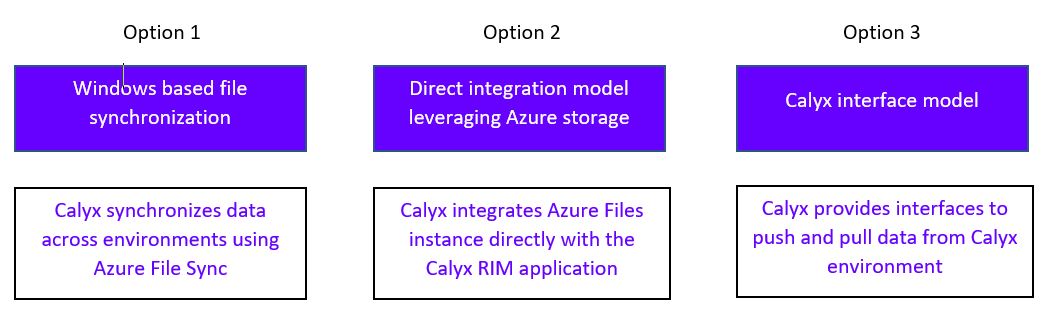
Windows based file synchronization
- Data is synchronized as soon as your users make a change.
- Data is local to your application so performance of the Calyx RIM solution is maximized.
- Data can be synchronized with multiple shares within your environment.
- To achieve a performant synchronization for your data volumes data must be hosted locally to a Windows server.
Direct integration model leveraging Azure storage
- Data remains within your environment.
- With Azure Files you can achieve a low latency direct integration model not possible with other methods. This provides high performance experience similar to your on-premise model.
Calyx RIM interface model
- Calyx provides standard Azure interfaces for your systems to synchronize data to the Calyx environment.
- You can use the tools you use to synchronize data for your users from anywhere within your environment.
For more information about Azure File Sync planning and deployment, see Planning for an Azure File Sync deployment and Deploy Azure File Sync