Calyx RIM Files Flow
The flow of files between client server and Calyx RIM.
The following diagram shows the flow of files.
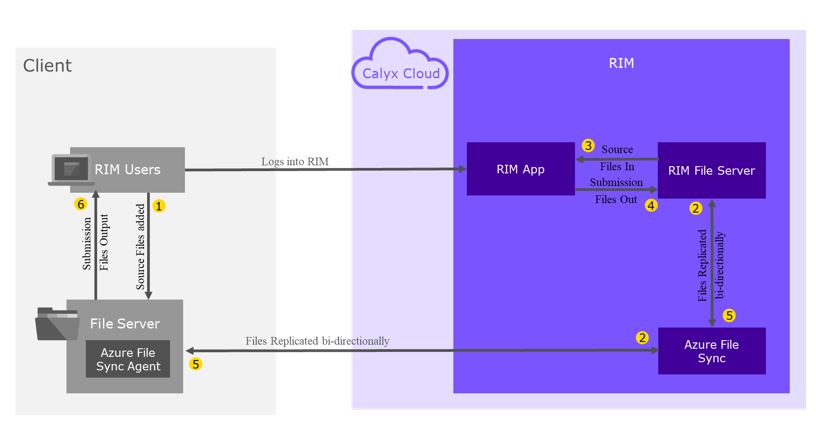
- User uploads file to their file server.
- Source file is synced between client file server and Calyx RIM file server using Azure File Sync.
- Source files are loaded from Calyx RIM File Server into the Calyx RIM Application.
- Submission files are sent from Calyx RIM application to Calyx RIM File Server.
- Submission file is synced between Calyx RIM file server and client file server via Azure File Sync.
- User copies submission files from client file server.