Guidelines for Generating Queries
You can use the guidelines to enter the search values in the query pages and for query data you generate.
Pressing the Enter key in List Boxes
For search attributes with list boxes, such as Keywords, Description, and Comments, pressing the Enter key in the list box causes new lines of text. Each line of text is returned as a new row when you export a query containing these values to Microsoft Excel™.

Selecting Values in Drop-down List Boxes
In drop-down list boxes, you can choose only one value.
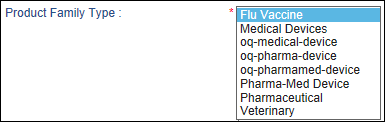
You can choose contiguous values by Shift+clicking them.

You can choose non-contiguous values by Ctrl+clicking them.

Double-clicking any value in an Available Columns list box moves it to the corresponding Selected Columns list box. Choose a column in the Selected Columns list and use up and down buttons to change the order the columns are displayed in the query results.

Dates
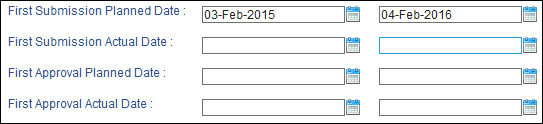
Enter formatted dates based on your Calyx RIM environment settings. For date ranges, enter date values in both the From and To boxes. To generate a query for only one day, enter the same value in the From and To boxes.
Sorting
You can use the Sort Order selection boxes to select how your query is sorted. You can move selected sort order entries up or down. Regardless of the number of item that you specify in Selected Sort Orders list box, only the first four are used to generate the query.

Resetting the Sort
If you click Reset Sort on the query results page, the sort order is cleared and you can specify up to four sort options only. When you generate some queries (such as List of Applications with Products) for a CP (Central Procedure) application, the Country column shows both the rapporteur and co-rapporteur of an EMEA (European Medicines Agency) country.
Viewing Queries
After you view a query, you can click Back on the Search Results page to return to the query filtering criteria page. Then you must click Reset before you can change any filtering criteria.
Some queries might not display a vertical scroll bar if one or more rows have at least one cell that contains more than 25 characters and no spaces.