
Portrait Overlay Footer
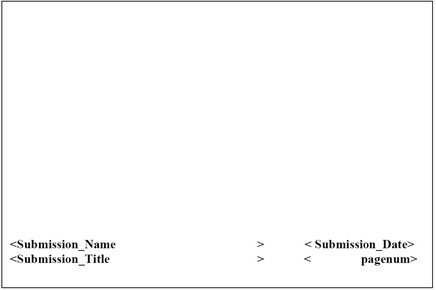
Change an Overlay for a Document, Cover Page, or TOC
Overlay templates enable you to add headers, footers, and other elements to the pages of your publication. This includes page numbering and other variable data from Ennov InSight , resolved during publishing. Documents, TOCs, and cover pages may use the same or different overlay templates. To change an overlay for a document, cover page, or toc:
- Select the element with an overlay you want to change.
- Click Edit.
- Choose an overlay from those available in the Overlay Setting list.
- Save.
Modify an Existing Overlay
Overlay templates enable you to add headers, footers, and other elements to the pages of your publication. You can modify an existing overlay.
This includes page numbering and other variable data from Ennov InSight , resolved during publishing. Documents, TOCs, and cover pages may use the same or different overlay templates.
- Go to the Publishing Templates page and choose a Publishing Library.
- In the selected Publishing Library, open the Overlays tab to modify or add overlay settings.
- Save.
Hide Headers and Footers with an Overlay
You can hide the headers and footers created by an assembly in Microsoft Word.
- Open the overlay document in Word.
- View headers and footers.
- Insert a text box into the header and resize it to fill the width of the screen and desired depth from the top of the page.
- Edit the text box and do the following:
— Select White for the fill color for the text box.
— Select either No Line or White for the line color.
- Insert variables and/or images into the text box.