Column Position
To change where a column appears in the table, press and hold your left mouse button on the column header, drag the column to the desired position.
In the following image, the
Application Name column is being positioned between the
Application Code and
Country columns.
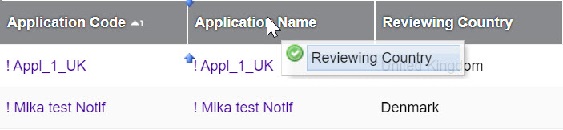
A blue arrow appears to indicate where the column will be positioned.