Icons
Ennov InSight enables you to perform common functions for the entities you create and maintain. Icons appear on the toolbar at the top right of the attributes pages, and they are specific to the current entity.
Tooltip Example
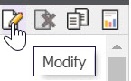
Icons are either enabled or disabled.
 =
Enabled - An
enabled icon is displayed in full color and means you are authorized to perform its action on the Entity displayed on the page.
=
Enabled - An
enabled icon is displayed in full color and means you are authorized to perform its action on the Entity displayed on the page.
 =
Disabled - A
disabled icon appears grayed or dimmed to indicate that the action is unavailable. Either you are not authorized to perform the action or the action does not apply to the entity.
=
Disabled - A
disabled icon appears grayed or dimmed to indicate that the action is unavailable. Either you are not authorized to perform the action or the action does not apply to the entity.
You can perform a large number of actions for assemblies. Most of these actions are available in a drop-down list that you can display by clicking the More button next to the icons.