Set Date Attributes
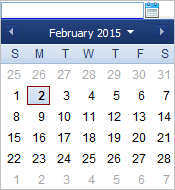
To set date attributes, you can choose dates using the calendar tool or you can enter them in the space provided. Using the calendar tool reduces data entry errors caused by mistakes in date formatting or keyed entries.
If the date is entered in the wrong format, or has invalid values, the invalid value will not be saved.
Calyx RIM supports the international date format DD-MM-YYYY by default. This format can be customized with a Calyx RIM override properties file.
Custom configurations must be coordinated with the Consulting Services Organization (CSO) group. Furthermore, regardless of the date format or your browser's language preference setting, Calyx RIM only supports English for dates.
To open the calendar tool and choose a date, click the Calendar
 icon.
icon.