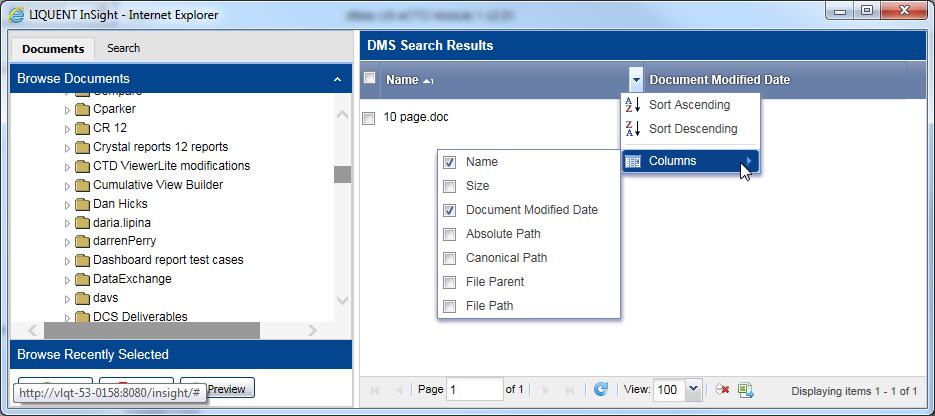
DMS Browse - Modify Grid View Columns
You can add or remove columns in the grid view using the Columns list.
To modify the columns in the grid view:
-
The selected columns appear in your
DMS Search Results grid view.
- You can sort any column in ascending or descending order by clicking the sort arrow on the column heading. You can restore the grid view to the default sort by clicking Reset Sort at the bottom of the grid view.
- The DMS Search Results can display multiple pages of data in the grid view, but you cannot select items across multiple pages.
- You can export the DMS Search Results from the grid view as a spreadsheet by clicking Export to Excel at the bottom of the grid view.