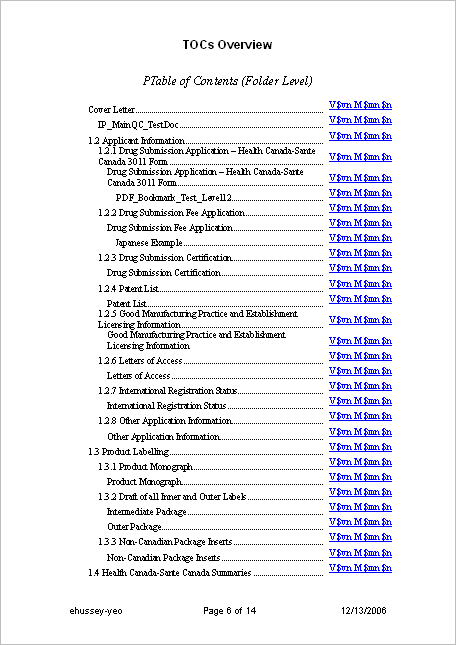
Table of Contents Templates
The layout of the TOC is defined in a TOC definition file, which must be in Word format. You can define a definition file for each TOC in the document, if required. This topic describes the basic TOC definition file.
- The left column text specified for the TOC element, usually represented by a variable string containing the $NAME element name and $N element number of the elements included from the assembly tree
- The bookmark names contained in the actual document files
Heading level styles TOC1 (TOC20) defined in the Word document correspond to the heading levels created when the TOC is generated. Each new TOC entry is generated in its own row in the table. The first row included in the template provides a place for the generator to begin.
The heading level styles may contain Word formatting (numbering, indent, character style, color, box, outline letters, font, paragraph styles, leader text, and so on). In this way, most formatting options are supported. This information is placed in the first column of the table. The second column of the table is reserved for the right column text, and the style of this text is specified by the link text style. Again, this right column is resolved only during final publish, not during preview and editing. The left column is resolved during preview and editing.
The number of bookmark levels in the TOC element determines how many heading levels to use from all component documents in the TOC range. This should be the highest number of allowed levels in your document templates.
The number of TOC levels to include determines the total number of final heading levels that will be included in the TOC.
The location of the header text determines where the header attribute in the TOC element will be placed, and the style of that text. This text may wrap lines. If this is insufficient, you can use Word headers on the TOC template to express the TOC subject, and you can use the TOC overlay here as well to stamp additional information.