
TOC Hierarchy
The table of contents (TOC) is always displayed in a hierarchical, or tree view. The Module appears at the very top of the hierarchy; and Sections, Sub-sections, Node Extensions, and STF are displayed following the DTD structure.
| Item | Icon |
| Module |

|
| Section/Sub-Sections |

|
| Study Tagging File (STF) |

|
| Node Extension (NE) |

|
| STF: File Tag |

|
| STF: Site |

|
| Item | Icon |
| Document |
Document-specific icon based on user settings (when available).
Unknown or not defined. |
| Document Cross Reference |

|
| Operation: New |

|
| Operation: Append |

|
| Operation: Replace |

|
| Operation: Delete |

|


The TOC items (Modules, Sections, Node Extensions, STF and Sites) can be expanded or collapsed in several different ways:
— Clicking  in the TOC will
expand the item.
in the TOC will
expand the item.
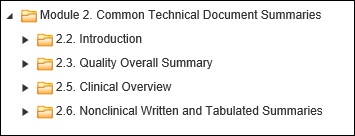
— Clicking  in TOC will
collapse the item.
in TOC will
collapse the item.

— Double-clicking on the item (on text only) will expand all submission items to the document level.
TOC Hierarchy
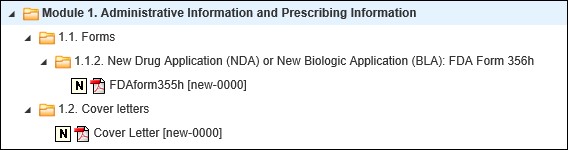
— Double-clicking on the expanded item (on text only) will collapse the clicked item.
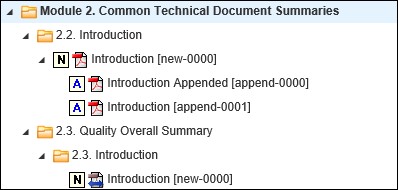
— Selecting a document in the TOC will display that document in the document viewer. The Lifecycle and Properties information for that document will be populated in their respective windows.
Note: For FDA 3.3 submissions, the Form FDA 356h and Form FDA 1571 section/document will not be displayed under the TOC. The document link will be displayed under Administrative Information.
For China NMPA submissions (starting from Ennov InSight Viewing 5.5 CHF 5) a new feature that translates the names of TOC folders is included. Moving a mouse pointer over Module 1 shows the Chinese text in English and moving a mouse pointer over Modules 2-5 shows the English text in Chinese.