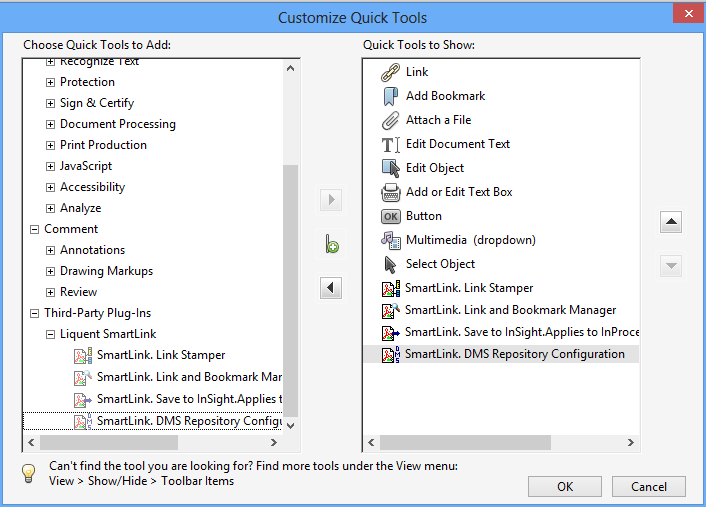
Add Liquent SmartLink for PDF Toolbar Icons: Acrobat X
After the installation of Liquent SmartLink for PDF, you can add SmartLink for PDF icons to the Acrobat toolbar for quick access to the SmartLink tools.
To add
SmartLink for PDF icons to the Acrobat toolbar:
-
Click the arrow button to move the
SmartLink for PDF icons to the
Quick Tools to Show pane.