Add Linking plug-in (PDF) Toolbar Icons: Acrobat X
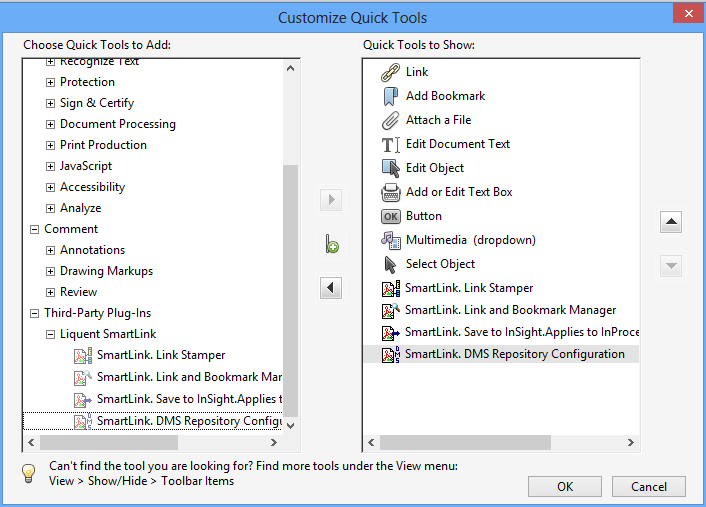
After the installation of Linking plug-in (PDF), you can add Linking plug-in (PDF) icons to the Acrobat toolbar for quick access to the SmartLink tools.
To add
Linking plug-in (PDF) icons to the Acrobat toolbar:
-
Click the arrow button to move the
Linking plug-in (PDF) icons to the
Quick Tools to Show pane.