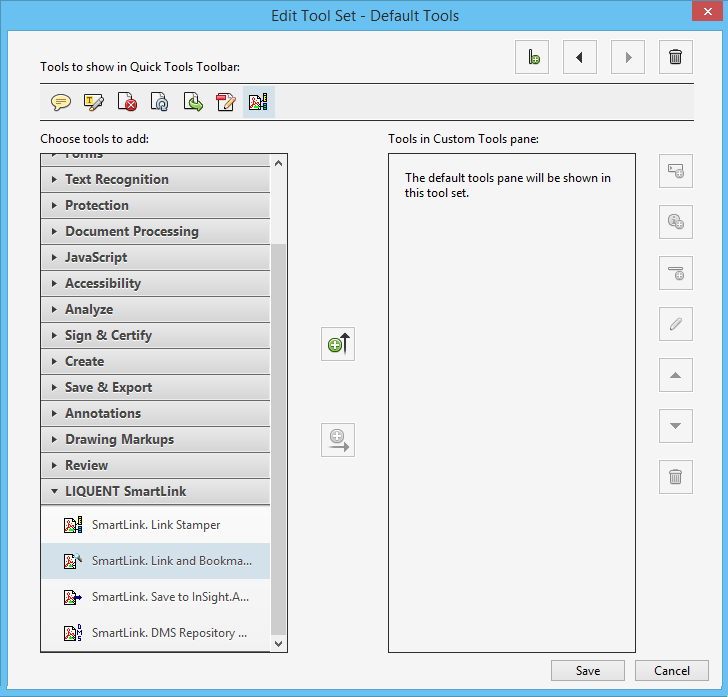
Add Linking plug-in (PDF) Toolbar Icons: Acrobat XI
After the installation of Linking plug-in (PDF), you can add Linking plug-in (PDF) icons to the Acrobat toolbar for quick access to the SmartLink tools.
To addLinking plug-in (PDF) icons to the Acrobat toolbar:
-
Right-click on the Acrobat toolbar and select
Edit Current Tool Set.
You can also open the Customize Quick Tools window from the View menu: .
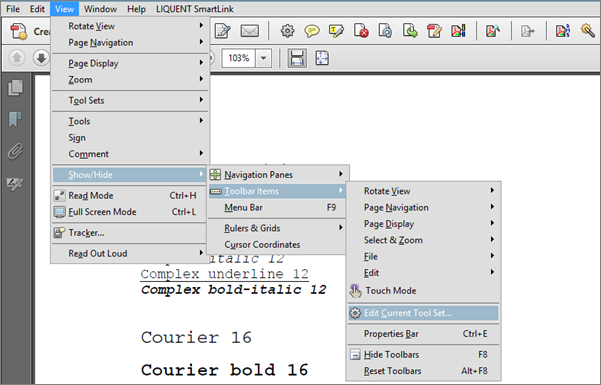 The Customize Quick Tools window appears.
 -
In the
Edit Tool Set window, select
Plug-In Liquent SmartLink.