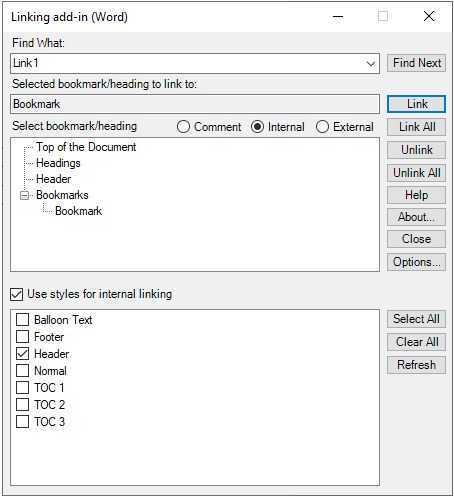
Select Internal Link Targets
Create internal links to function within a PDF document that is rendered outside of Linking add-in (Word).
To select internal links:
-
Do any of the following:
Action Option To link to the top of a document: Double-click Top of the Document. To link to a heading: Expand Headings and double-click the selected heading. To link to a bookmark: Expand Bookmarks and double-click the selected bookmark.