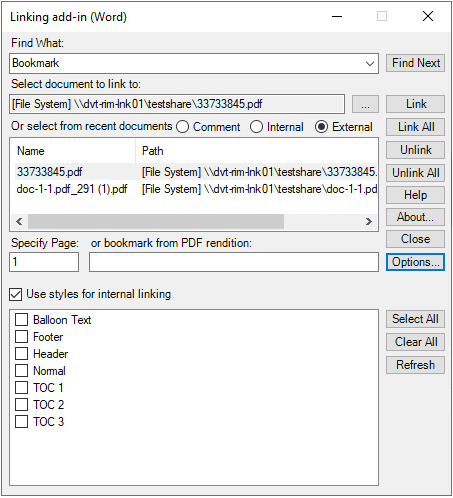
Use the
Show Internal Link Styles option to include styles in a Word document for linking.
To specify the styles:
-
In
Linking add-in (Word), click
.
-
Select
Internal bookmark/heading.
-
Select
Use styles for internal linking.
-
Select the styles for linking.
-
Click
Refresh.
The selected styles will now be displayed.