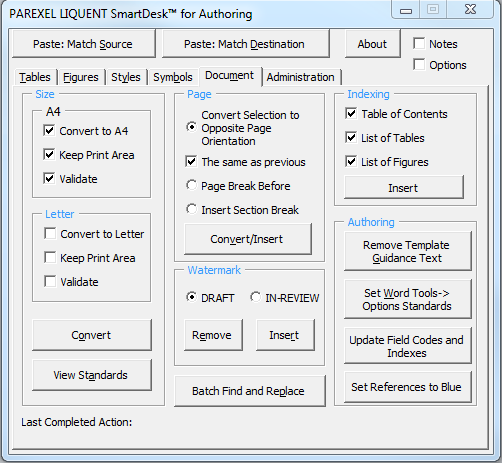
Accessing SmartDesk for Authoring in Word
You can access the Liquent SmartDesk for Authoring tools using the Liquent SmartDesk tab on the Word Ribbon or by using the Launch Window to open a floating Liquent SmartDesk for Authoring window.
SmartDesk for Authoring 3.2 is integrated into the Word Ribbon, conveniently providing all SmartDesk commands on the Parexel Liquent SmartDesk tab.

SmartDesk window
You can use the Liquent SmartDesk for Authoring window (accessable through the Liquent SmartDesk for Authoring ribbon tab) with all supported versions of Word.
Liquent SmartDesk for Authoring provides you with the Liquent SmartDesk ribbon tab and window whenever Word is launched. The application functions were designed and tested only for use with the CTD templates, CSR templates, and documents created from these templates.
Within Word, click to access the Parexel Liquent SmartDesk for Authoring window.
To reduce the potential for errors in a document, access the Liquent SmartDesk for Authoring tab and select . Or, in the Liquent SmartDesk for Authoring interface, go to the Administration tab and click the Apply Template Styles to Current Document button.