Change SmartDesk Options
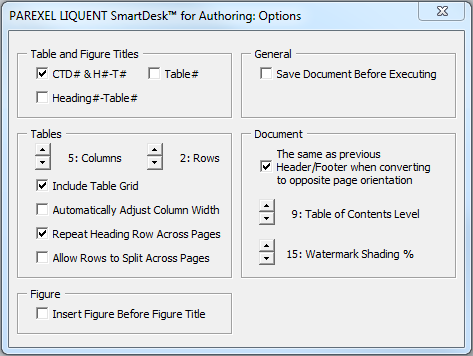
Use the Liquent SmartDesk for Authoring Options window to configure the default settings for specified SmartDesk options. Your new default settings will persist until you change them.
You can change a select group of default settings for the following options:
- Tables and Figure Titles
- General (Save Document)
- Tables
- Document
If the document has existing table or figure titles that are of a different format than the newly selected format, you have the option to either reformat the document to match the new format or keep the current format and Table and Figure Titles.
To change your default SmartDesk settings, do the following:
-
To save your changes, close the window.
 Your settings will be applied to all documents.