Creating a Cumulative XML Backbone
To create a cumulative XML backbone:
- In the Cumulative View Builderwindow, click the Conversion Type arrow.
- To create cumulative Japanese jp-regional-index.xml and index.xml files, choose Cumulative Regional.
- Click the Previous Sequence Location browse button to locate the folder containing the first sequence to be included in the XML backbone, and then navigate to the sequence number directory for the previously submitted sequence.
- After selecting the previously submitted sequence folder, click OK to close the Browse For Folder dialog.
-
To determine the XML backbone you are building, Initial or Cumulative, select one of the following:
- Initial - Build onto an XML backbone that is the first backbone (the xlink:href attributes are relative to the XML files and do not include the sequence numbers).
- Cumulative - Build onto an XML backbone for a previous sequence that is already cumulative (the xlink:href attributes of each leaf are relative to the submission number folder and include their sequence number).
- Click the Previous Sequence arrows to choose the sequence number of the XML backbone onto which you are building.
-
Click the
Current Sequence Location browse button to locate the folder containing the current noncumulative XML files, and then navigate to the sequence number directory for the current sequence.
After selecting the current sequence directory, click OK to close the Browse For Folder dialog.
- Click the Current Sequence arrows to choose the number of the sequence you are adding.
-
Click the
Output Location
browse button to indicate where to save the cumulative main and regional XML files and the checksum file.
After selecting the output location, click OK to close the Browse For Folder dialog.
-
To cumulate the selected sequences, click
Run. When the job is completed successfully, you will find the cumulative files in the specified output location. The cumulative files are indicated by the
c- prefix to the file name.
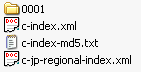
-
After verifying your output, remove the
c- prefix from the file names and do the following:
- If your published output is in a DMS, check-out the jp-regional-index.xml, index.xml, and index-md5.txt files and then perform a check-in from file with the cumulative files output from the CVB.
- If your published output is on the file system and you set the output location to a different location, replace the jp-regional-index.xml, index.xml, and index-md5.text files with the cumulative files output from the CVB.