Set an Okta Session Timeout
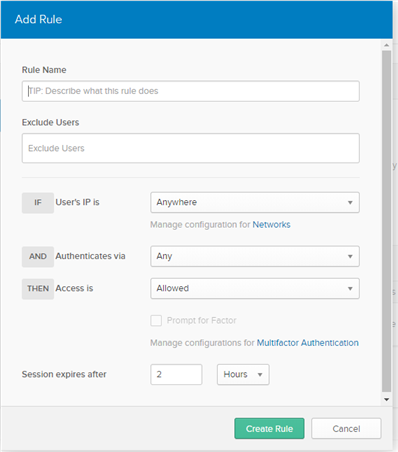
Okta controls the session timeout through the Administration account. By default, the timeout is set to two hours. Perform this procedure to change the default value.
An Okta account is required. If you do not already have one, proceed to the
Okta Developer Sign Up site, and create an account.
To change the Okta session timeout:
-
Login to the Okta developers site using the URL provided when you created your account.
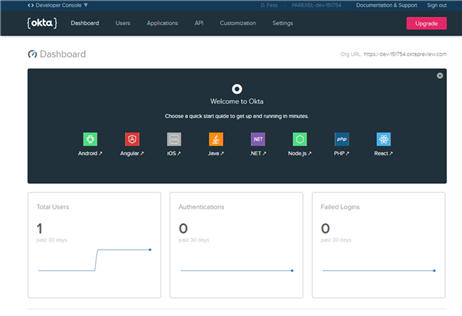
https://dev-xxxxxx.oktapreview.comThe Developer's Console appears.
-
In the top left of the menu bar, select
Classic UI.
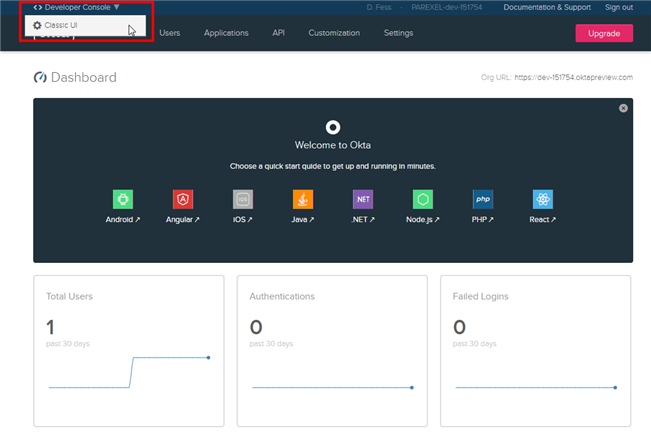 The Classic UI interface appears.
-
In the
Default Policy area, click the
Add Rule button (
 ).
The Add Rule window appears.
).
The Add Rule window appears.