Using JMeter
Apache JMeter provides the ability to use the LIQUENT API with Okta.
This procedure describes Okta API support using JMeter.
Note: Please note that the following procedure describing how to use JMeter to support the Okta API is an example of how the LIQUENT InSight API can be used with Okta.
To Use JMeter with Okta:
-
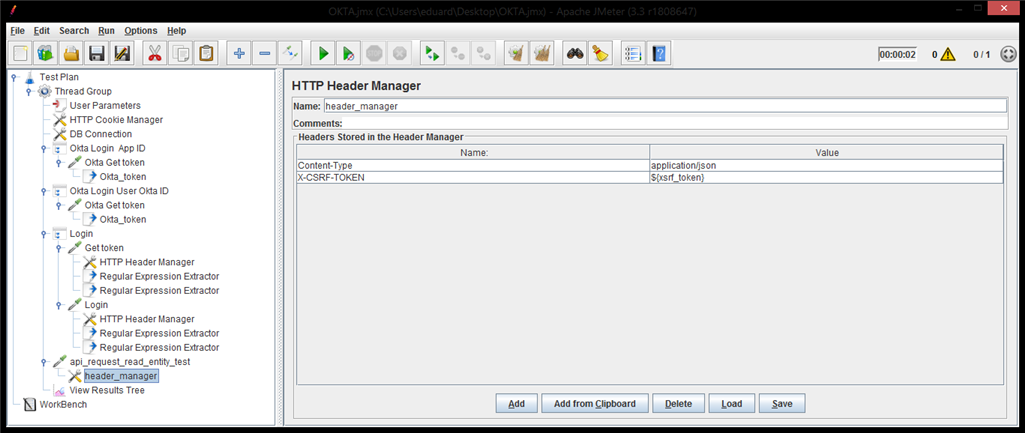
Open JMeter and identify the JMeter variables.

-
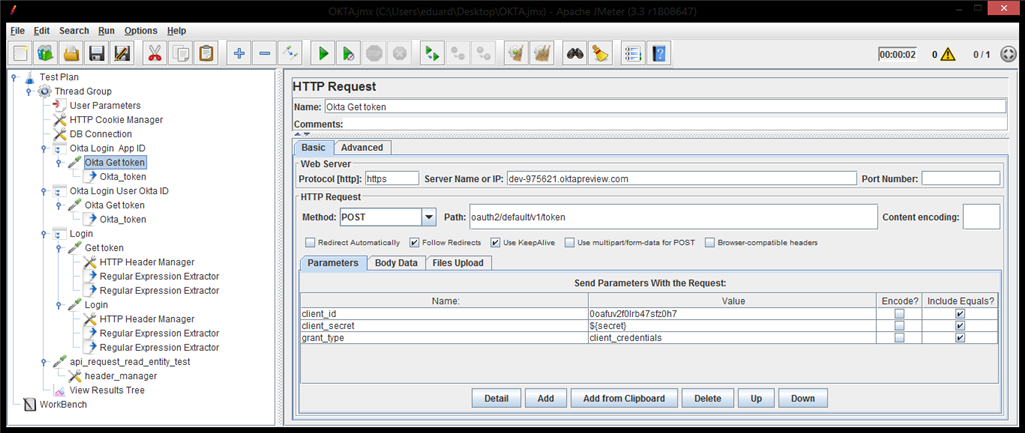
Login as a Data Exchange user. Use the following credentials:
- client_id = Client ID of existing Web Okta App
- client_secret = Client Secret
- grant_type = clent_credentials
-
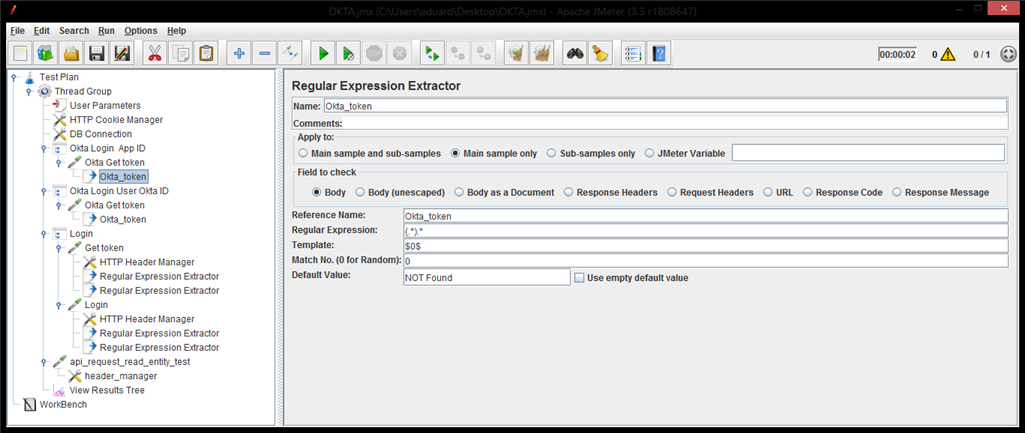
Introduce new variables as
Okta_token. The value of this new variable should be equal to the response body of the previous POST call.
-
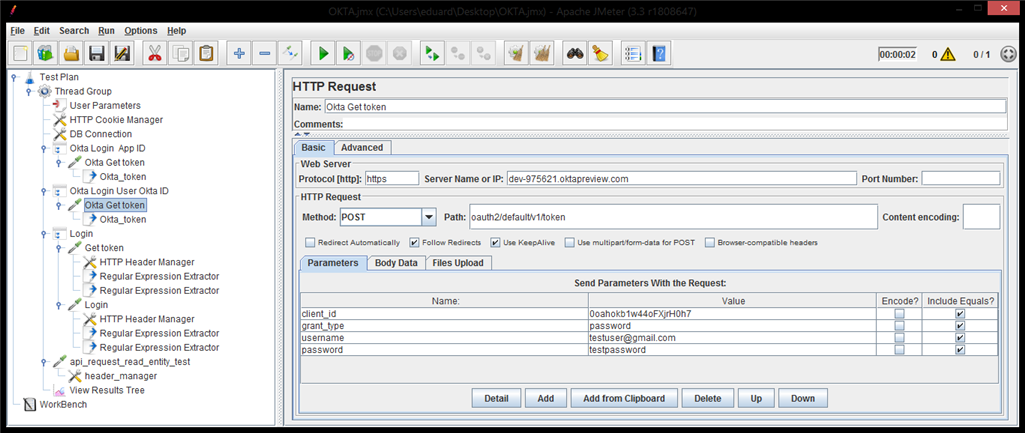
Login as an existing Okta user. Use the following credentials:
- client_id = Client ID of new Native Okta App
- grant_type = password
- username = Existing Okta user
-
Introduce new variable
Okta_token. The value of this new variable should be equals to the response body of the previous POST call.

-
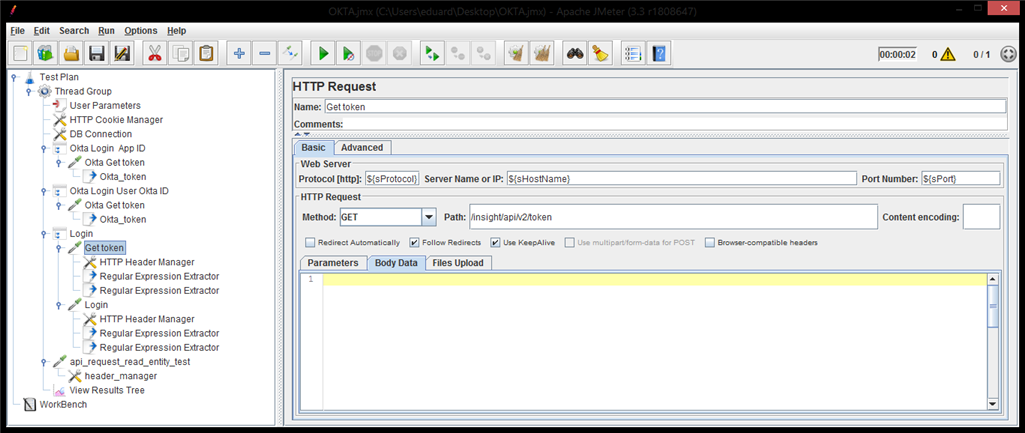
Get a token from the
Calyx RIM
Request method: GET
${sProtocol}://${sHostName}:${sPort}+/insight/api/v2/token
-
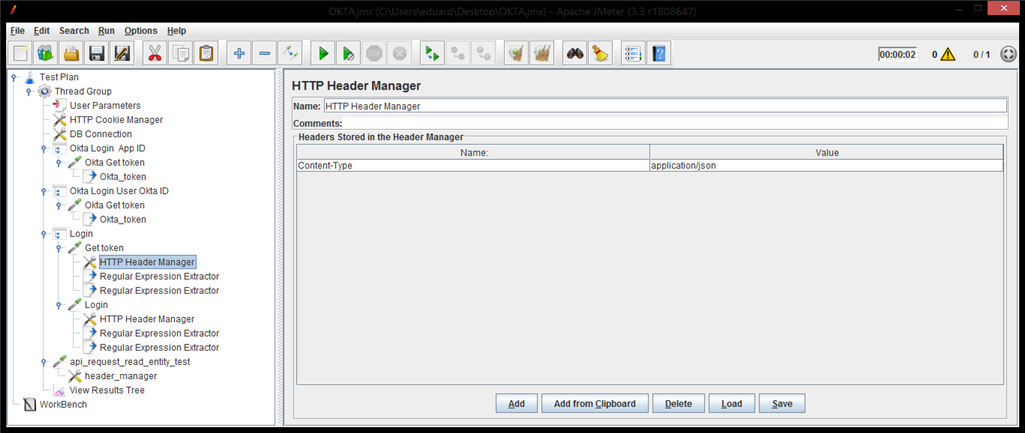
Set the request header as: Content-Type:application/json
-
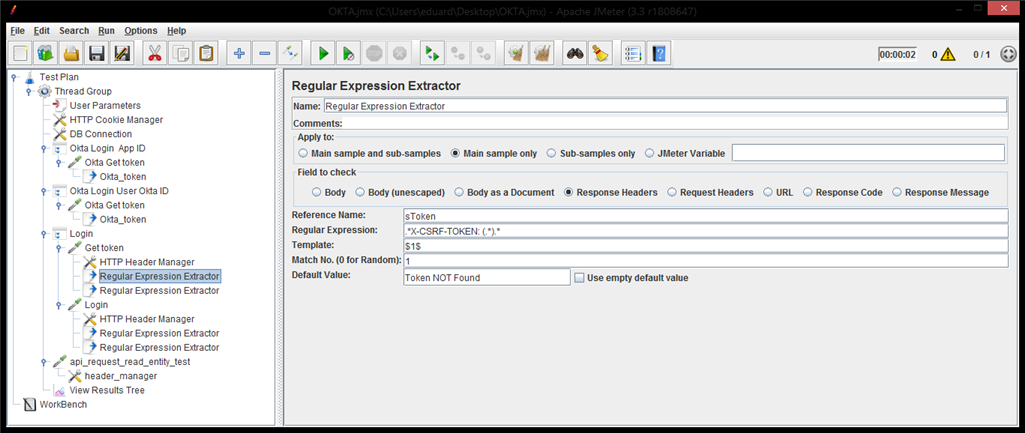
Extract the X-CSRF-TOKEN value from the response header and set the
sToken variable.
-
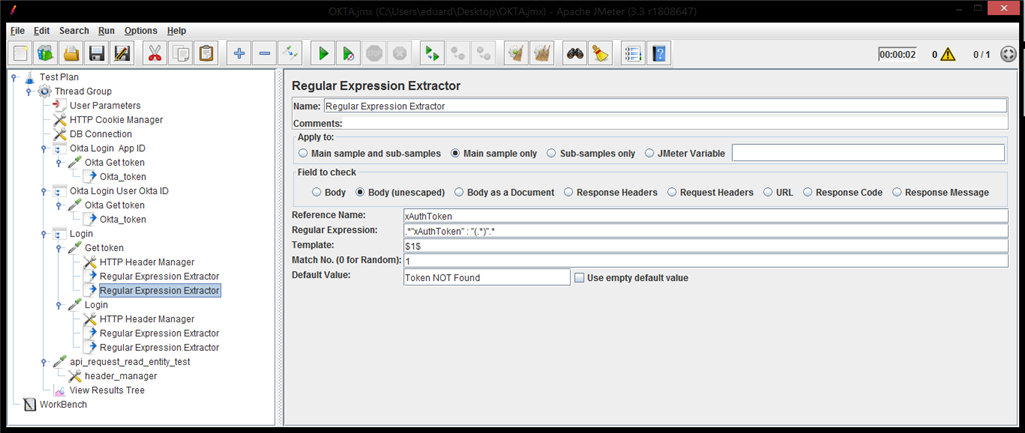
Extract the xAuthToken value from the response body and set the
xAuthToken variable.
-
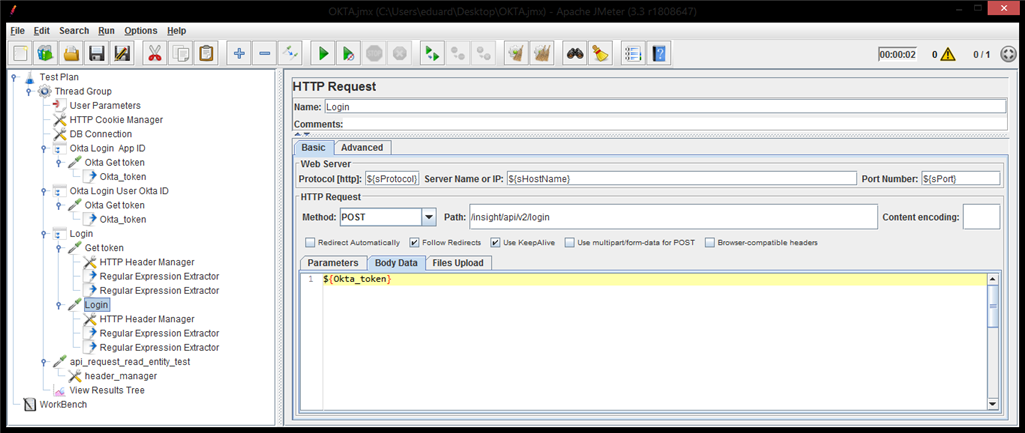
Use the value of the
Okta_token variable in the POST call to "/insight/api/v2/login".
-
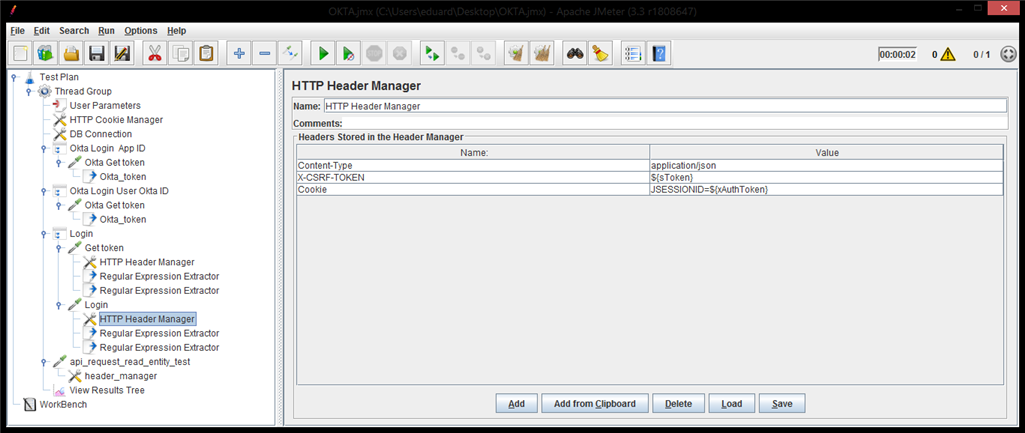
Set the request header:
- Content-Type:application/json
- X-CSRF-Token:${sToken} -- follow the Extract X-CSRF-Token value
- Cookie: JSESSIONID=${xAuthToken} -- follow the Extract xAuthToken value
-
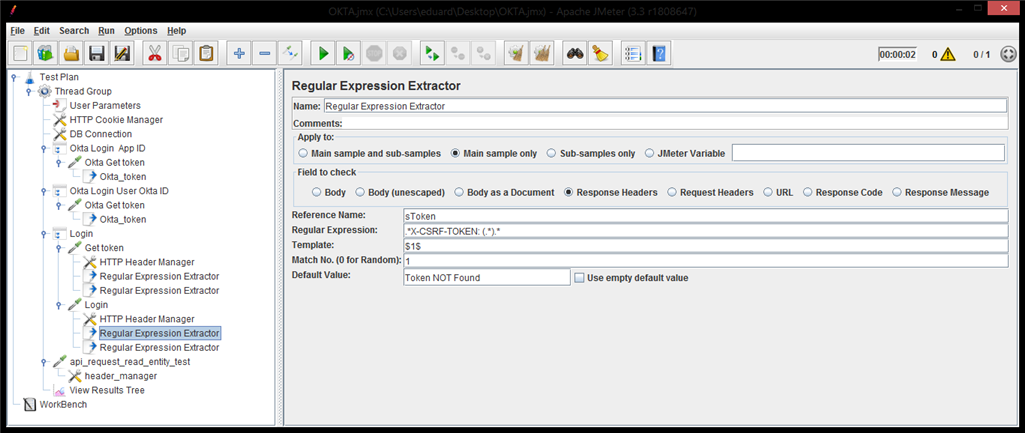
Extract the X-CSRF-TOKEN value from the response header and set the
sToken variable.
-
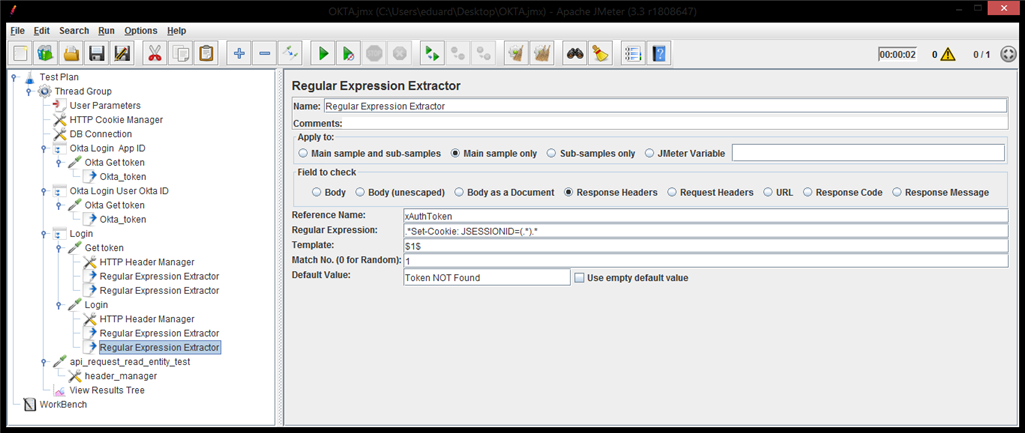
Extract the "Set-Cookie:JSESSIONID=[some_value]" from the response header and set the
xAuthToken variable.
If you want to verify for the user authentication, take out the full list of Publishing Setting Library.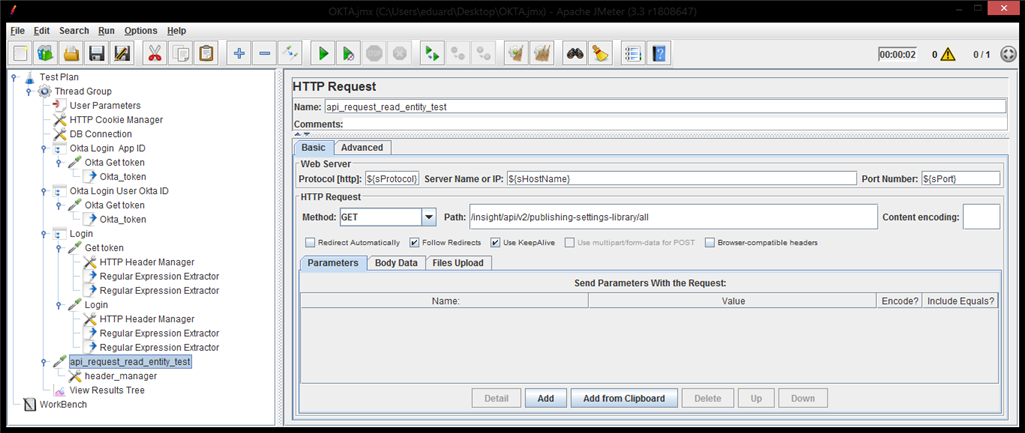
Set the request header as: Content-Type:application/json and X-CSRF-TOKEN:${xsrf_token}