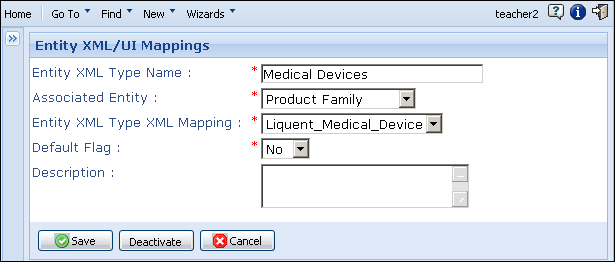
You can modify a product family type or component type that is mapped to an XML entity.
To modify a product family type or component type:
-
From the
Data Administration page, under
Product Family Maintenance, click
Entity XML/UI Mappings.
The
Entity XML/UI Mappings page appears.
-
Click the link for the product family type or product component type you want to modify.
The
Entity XML/UI Mappings data entry page appears.
-
Make the necessary updates.
-
Do one of the following:
- To deactivate a type, click
Deactivate. Deactivating a type make it no longer available for selection.
- To reactivate a deactivated type, click
Activate.
-
Save.