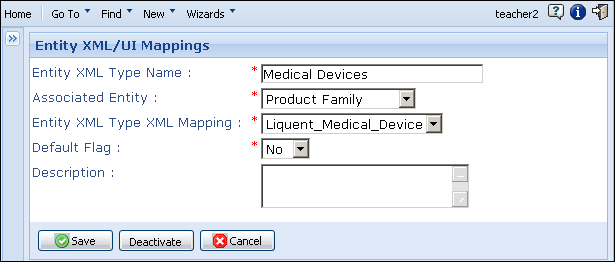
You can create product family type names or product component names and map them to existing entity types that are defined in XML.
To create a product family type or component type:
-
From the
Data Administration page, under
Product Family Maintenance, click
Entity XML/UI Mappings.
The
Entity XML/UI Mappings page appears.
-
Click
 to open the Entity XML/UI Mappings data entry page.
-
In the
Entity XML Type Name field, enter a name for the product family type or product component type.
-
In the
Associated Entity field, select either Product Family or
Product Component.
-
In the
Entity XML Type XML Mapping field, select the XML file to which this type should be mapped.
-
In the
Default Flag
field, select
Yes or
No to indicate if this will be the default type for the product families or components you create in
Calyx RIM.
You can choose only one product family type or product component type as the default.
-
In the
Description field, enter a description for the product family type or product component type.
-
Save.