Use the Linking add-in (Word) Dialog
Use Linking add-in (Word) to add, modify, or insert comments referencing hyperlinks in a document.
When
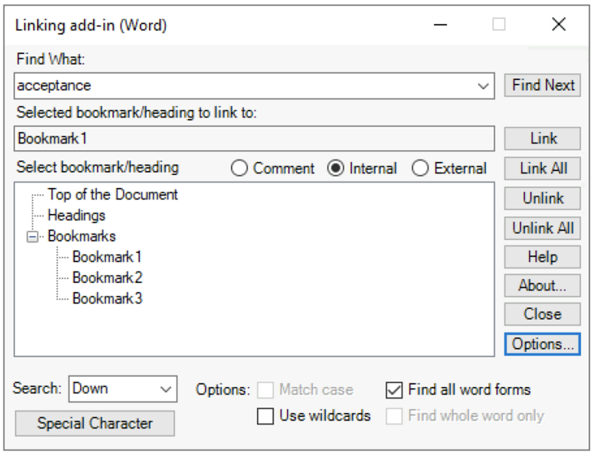
Linking add-in (Word) is installed, it appears on your Microsoft Word toolbar as an add-in application. Use the column of controls on the right side of the
Linking add-in (Word) dialog to search and hyperlink the text in your documents.
| Option | Description |
|---|---|
| Link | A hyperlink is created on the selected text. |
| Link All | Creates hyperlinks on the search result text. |
| Unlink | Removes hyperlink. |
| Unlink All | Removes hyperlinks on all the text matching the search result. |
| Help | Opens https://help.liquent.com to view Linking add-in (Word) documentation in your browser. |
| About | Shows Linking add-in (Word) version. |
| Close | Closes the Linking add-in (Word) window. |
| Options | Advanced options in Linking add-in (Word). |