
Example
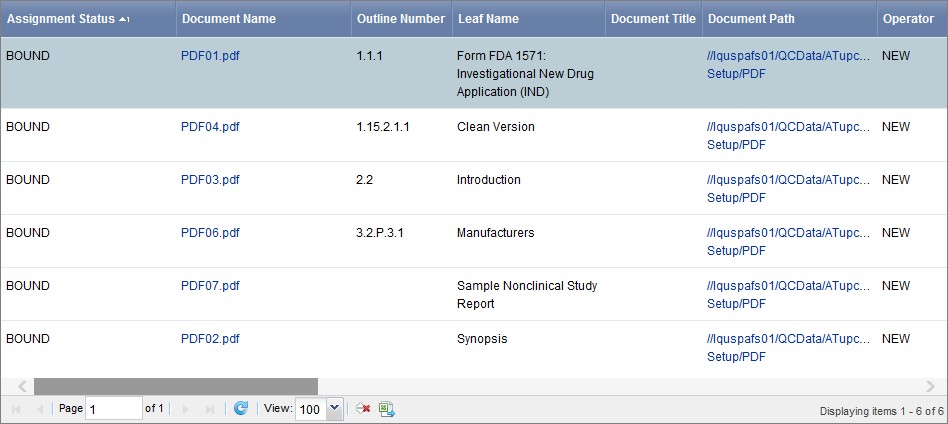
Attributes for each document assigned to the assembly appear.
2. Click Back to Outline View to return to the assembly tree.
Modify Document and Placeholder Attributes
Modifying documents in the assembly tree can cause unexpected results.
— You can change the pathname or file name of an assigned document with a status of missing content, missing version, or bound.
— Many attributes are mapped to their DMS repository or
secure file system attributes when you assign a document to an
assembly. The attribute that is stored in Documentum or the secure
file system is displayed in Ennov InSight . When you synchronize
Ennov InSight with a DMS repository, the DMS attributes overwrite
any mapped attributes you have changed in Ennov InSight . .png) appears next to attributes that are
mapped to their DMS repository or secure file system
attributes.
appears next to attributes that are
mapped to their DMS repository or secure file system
attributes.
When you assign a document to a placeholder, the placeholder is not bound to the assigned document until you perform a DMS synchronization.
Modify Document Attributes
You can modify attributes for a document in the assembly tree.
To modify the attributes for a document:
- On the assembly tree, select the document you want to modify.
- On the Document Attributes page, click Edit
.jpg) .
. - Change attributes, then Save.