
Prerequisites
You must specify volume publishing settings before you insert volumes into the assembly. The Volumes will have a standard naming convention based on the volume setting, these may be variable based.
To insert a volume:
- Right-click the element where you want to insert a volume and
choose Insert Volume.
If a volume break resides on the leaf you are deleting, you should move the volume break to the closest folder.
Volume breaks that reside on a deleted leaf will not be published.
- Save.
Each volume added is displayed in the assembly tree. The volume break is added and the Edit Volume page appears.
- Optionally change the name of the volume and Save.
Modify Volumes
While you can change a volume's name and override the default, any changes to volume ordering (or the inclusion of new volumes) overwrites the change. Ennov InSight numbers the volumes correctly based on their order. If you overwrite a volume name, you can lock the volume to prevent additional changes.
During volumization, the assembly is not locked. You must wait for volumization to complete before attempting to select any elements.
To modify a volume:
1.
In the assembly, click on the volume

you want to modify.
Example
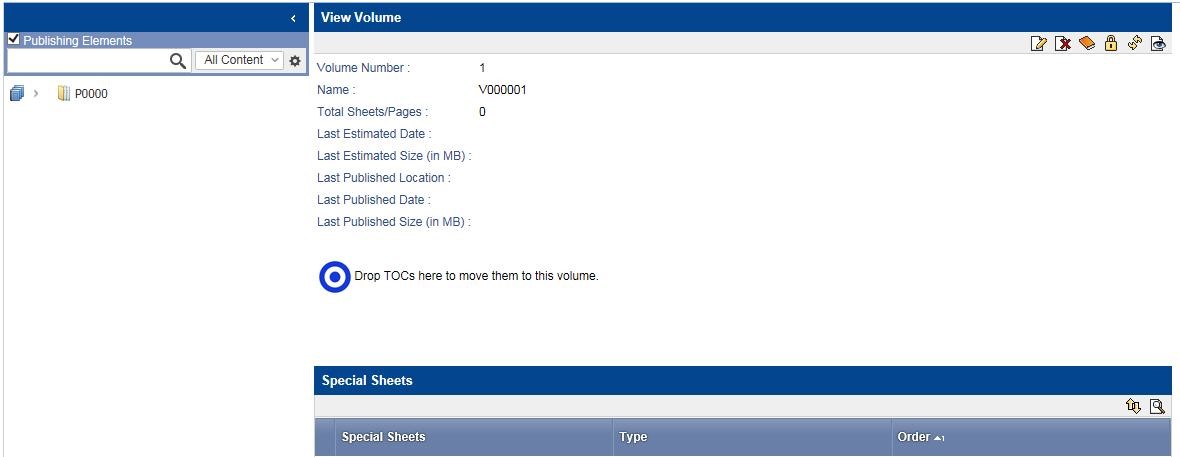
The
View Volume
page appears.
2.
Click

.