Link and Bookmark Manager
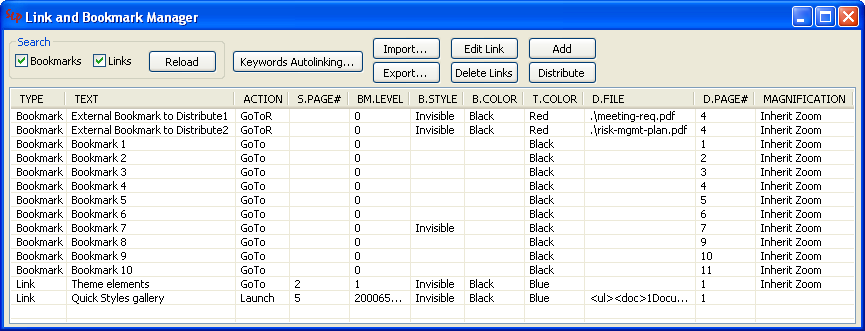
The Link and Bookmark Manager enables you to view and modify the bookmark and hyperlink properties in your PDF documents, and to create and delete bookmarks and hyperlinks.
The Link and Bookmark Manager scans your PDF to discover all of the bookmarks and hyperlinks contained in the PDF and exports their properties to a CSV (comma-separated values) file that you can edit.
After modifying the CSV file, use the Link and Bookmark Manager to import the changes into the PDF. You can also perform maintenance on hyperlinks in the Link and Bookmark Manager dialog.
To open the Link and Bookmark Manager, choose .